Desktop Sockets: Types, Features, and How to Choose

For furniture manufacturers and wholesalers, choosing the right desktop socket type is one of the most important decisions in product design. The wrong choice affects aesthetics, functionality, and ultimately your customers’ satisfaction. This guide breaks down every major type of desktop socket, their key features, and which applications each is best suited for.
Types of Desktop Sockets by Structure
1. Pop-Up Desktop Socket
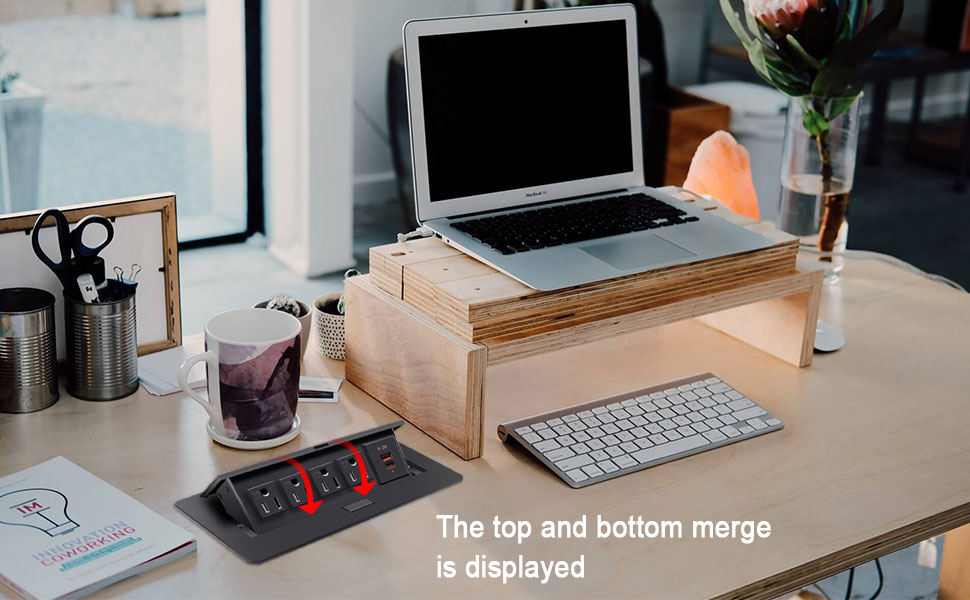
The most widely used type for modern furniture. A push-pop mechanism activates the unit, which rises vertically from the desk surface to expose power and data interfaces. When not in use, it retracts completely flush with the surface.
Best for: Corporate offices, executive desks, conference tables, hotel rooms, and any application where a clean, uncluttered surface is a priority.
Key advantages:
- Completely invisible when closed
- Available with AC outlets, USB-A, USB-C Power Delivery, HDMI, Ethernet, and wireless charging
- Commercial-grade models tested to 50,000+ cycles
→ Browse Moonian pop-up desktop sockets
2. Pull Pop-Up Socket
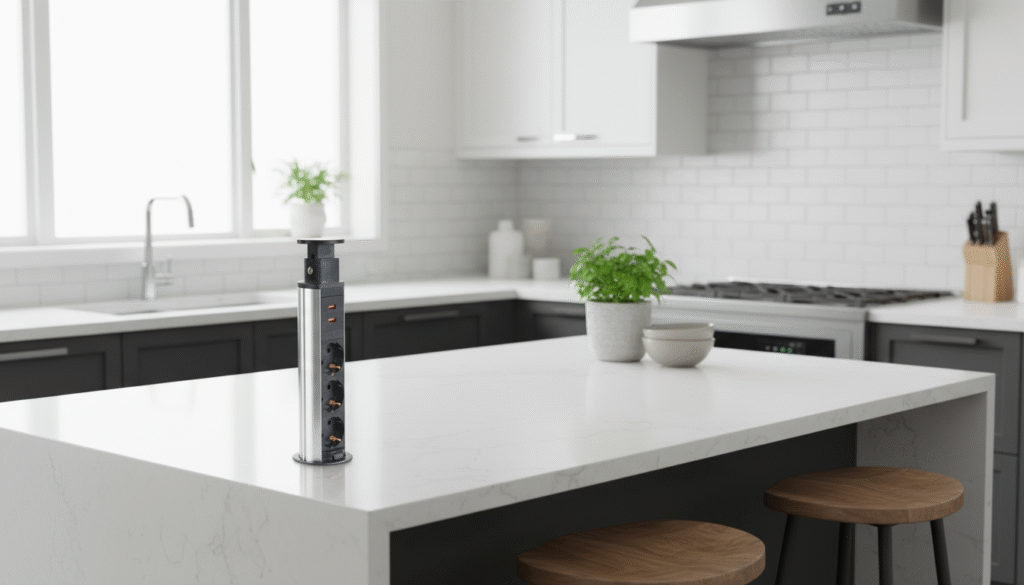
An evolution of the classic pop-up design. The unit first rises vertically, then allows the interface module to pull outward for adjustable positioning. This gives users greater flexibility in how they connect and position devices.
Best for: Creative studios, collaborative workspaces, shared workstations where multiple users need access from different angles.
Key advantages:
- Two-stage activation for flexible positioning
- Some models rotate up to 360° for maximum accessibility
- Built-in cable management channels
→ Browse Moonian pull pop-up sockets
3. Sliding Cover Socket
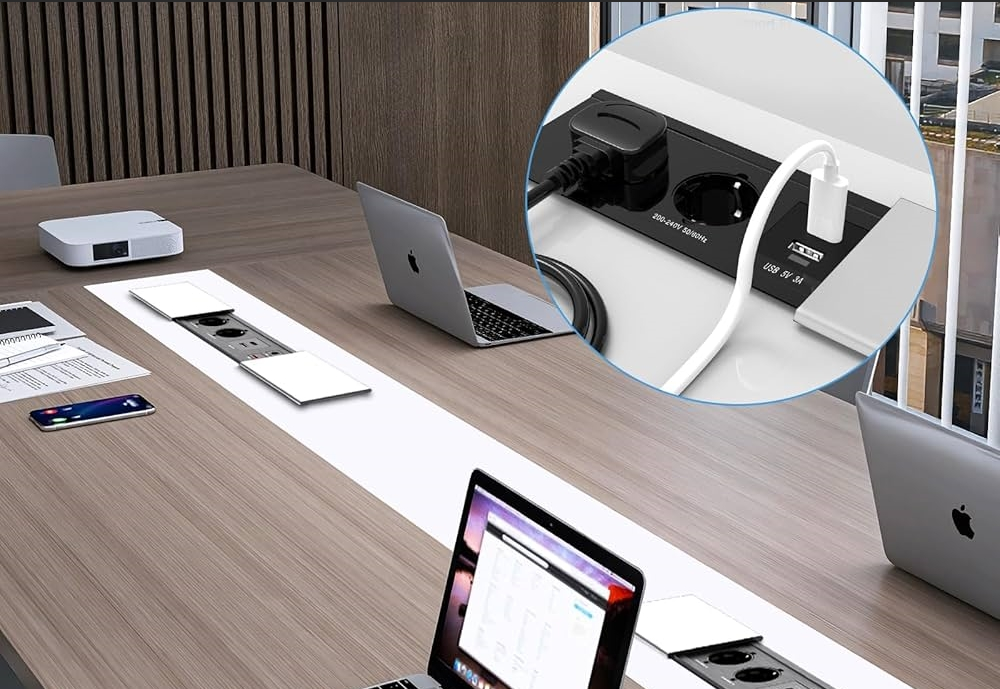
nstead of a vertical pop-up mechanism, a sliding cover socket opens horizontally to reveal interfaces. The cover slides to one side, maintaining an ultra-low profile at all times.
Best for: Minimalist interiors, thinner tabletop designs, situations where even the height of a pop-up mechanism would be visually intrusive.
Key advantages:
- Near-flush with the surface at all times
- Silent horizontal operation
- Excellent dust and moisture sealing when closed
- Custom panel finishes to match countertop materials
→ Browse Moonian sliding cover sockets
4. Power Track Socket
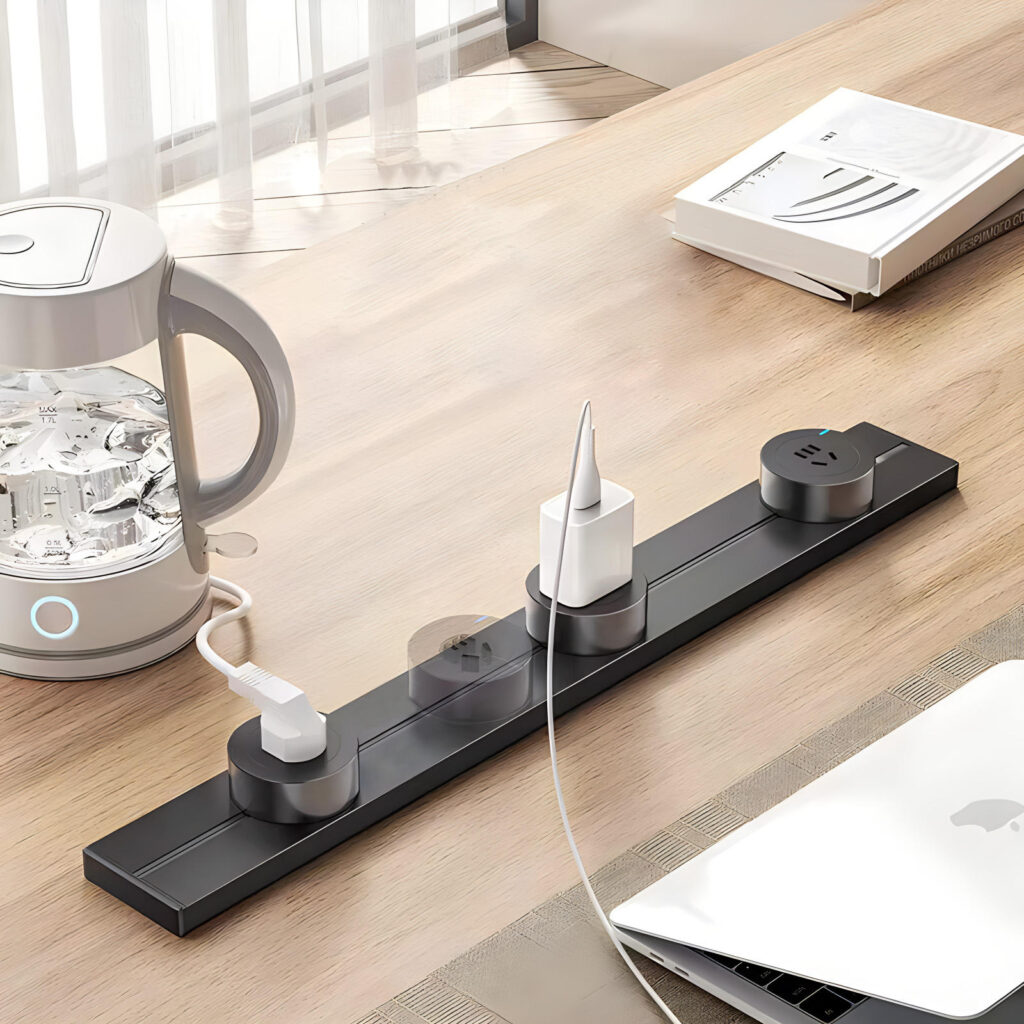
A rail-based system installed along the desk surface or edge, allowing multiple outlet modules to be positioned and repositioned anywhere along the track. Unlike fixed sockets, the track accommodates changing needs without any new installation work.
Best for: Collaborative workbenches, design studios, large conference tables, environments where power requirements change frequently.
Key advantages:
- Unlimited flexibility — outlets move anywhere along the rail
- Expandable capacity over time
- Can integrate USB, data, and lighting in a single system
→ Browse Moonian power track sockets
Types by Function and Interface
Universal Multi-Function Sockets
These combine the widest range of interfaces in a single unit:
- AC power outlets (EU, UK, US standards)
- USB-A and USB-C Power Delivery (up to 100W)
- Gigabit Ethernet
- HDMI 2.0 or DisplayPort
- 3.5mm audio jack
- Wireless Qi charging (on select models)
Ideal for conference rooms, training classrooms, and any environment where users arrive with different devices and connection needs.
Specialized Function Sockets
- Conference-room specific: Optimized for AV needs with 4K video transmission
- Wireless charging focused: Built-in Qi modules for phone and headphone charging
- Data-intensive models: Thunderbolt 4 and USB4 for high-speed transfers
Materials and Build Quality: What to Look For
The material quality of a desktop socket directly affects its longevity, aesthetics, and how well it fits premium furniture.
Panel materials:
- Anodized aluminum alloy: Premium choice. Hard-wearing, scratch-resistant, available in silver, space gray, and champagne gold. The cold-touch feel matches high-end metal-frame furniture.
- Die-cast zinc alloy: Good mid-range option. Heavier than aluminum, slightly lower cost.
- Plastic (polycarbonate): Budget option. Flame-retardant grades are acceptable for safety, but the tactile quality doesn’t match premium furniture.
For a detailed comparison, see our guide on aluminum vs zinc alloy in pop-up sockets.
Internal components:
- Phosphor bronze contacts with nickel plating ensure superior conductivity and corrosion resistance
- Flame-retardant PC internal structure
- Built-in heat dissipation channels for safe high-power operation
Safety Certifications to Require
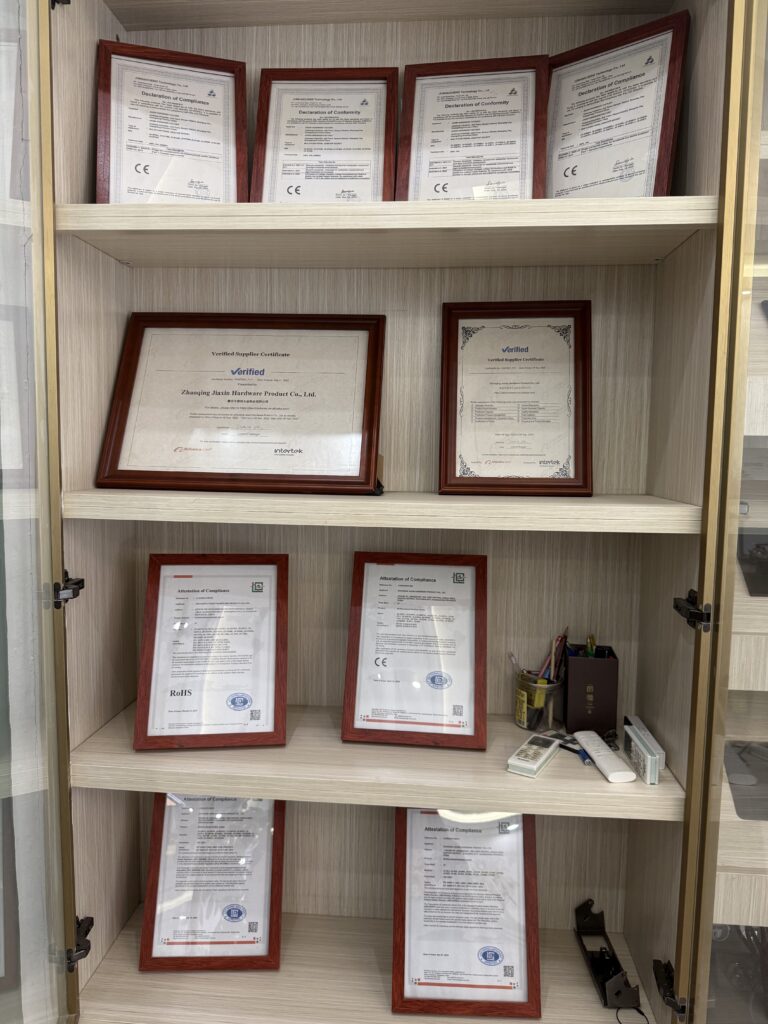
For any furniture exported to European or UK markets, the following certifications are non-negotiable:
- CE: Required for the European market
- RoHS: Restriction of hazardous substances — required for EU export
- UKCA: Required for the UK market post-Brexit
- UL: Required for North American markets
Always request actual laboratory test reports, not just certificate images. For more on this, see our guide on how to choose a pop-up socket supplier.
Application Recommendations by Environment
| Environment | Recommended Type | Key Reason |
|---|---|---|
| Corporate conference room | Pop-up multi-function | Clean aesthetics + comprehensive connectivity |
| Executive desk | Pop-up or sliding cover | Premium finish, minimal visual presence |
| Creative studio / design desk | Pull pop-up | Flexible positioning for varied workflows |
| Educational institution | Standard pop-up | Balance of cost and functionality |
| Kitchen island | Pop-up with IP54 rating | Moisture resistance |
| Hotel room desk | Sliding cover or pop-up | Discreet, durable, international plug compatibility |
| Collaborative workbench | Power track | Flexible positioning, expandable |
Why Choose Moonian
Moonian is a specialized desktop socket manufacturer based in Guangdong, China, supplying furniture brands and wholesalers in Europe and the Middle East since 2018. Our full product range covers all four socket types above, with CE, RoHS, and UKCA certification across the line.
OEM/ODM services are available for custom finishes, port configurations, and branding. We provide 3D CAD/BIM files for all models to simplify your integration process.
For a broader overview of what a pop-up desktop socket is and how it works, see our complete beginner’s guide.
Ready to find the right socket for your next project? → Browse our full product range → Request samples and a quote