
S1 Recessed vs S2 Surface Mounted Power Track: Which Installation Method Suits Your Project?

We get this question from furniture manufacturers and contractors almost every week: what is the practical difference between the S1 recessed track and the S2 surface mounted track, and how do you choose between them?
The answer is not simply “recessed looks better.” Each installation method has genuine technical advantages and genuine constraints, and the right choice depends on four factors: your furniture construction stage, your tabletop thickness, your client’s aesthetic requirements, and the features they need from the track system.
This guide gives you the complete picture — from installation requirements to feature differences to total cost implications — so you can specify confidently for each project.

The Core Difference: Where the Track Sits
The fundamental difference between S1 and S2 is their relationship to the desk surface.
The MJX-S1 Recessed Power Track sits inside the desk surface. A channel is routed into the tabletop during manufacturing, and the track is installed flush — the top face of the track is level with the surrounding surface. When adapters are removed, the track is almost invisible. When adapters are installed, they protrude only the height of the adapter unit above the surface.
The MJX-S2 Surface Mounted Power Track sits on top of the desk surface. The track body is mounted directly onto the tabletop or along the desk edge without any routing. The track profile sits above the surface by the full height of the track housing.
This single difference — inside the surface vs on top of it — cascades into a series of implications for installation, aesthetics, cost, and features.
S1 Recessed Power Track: The Premium Integrated Option
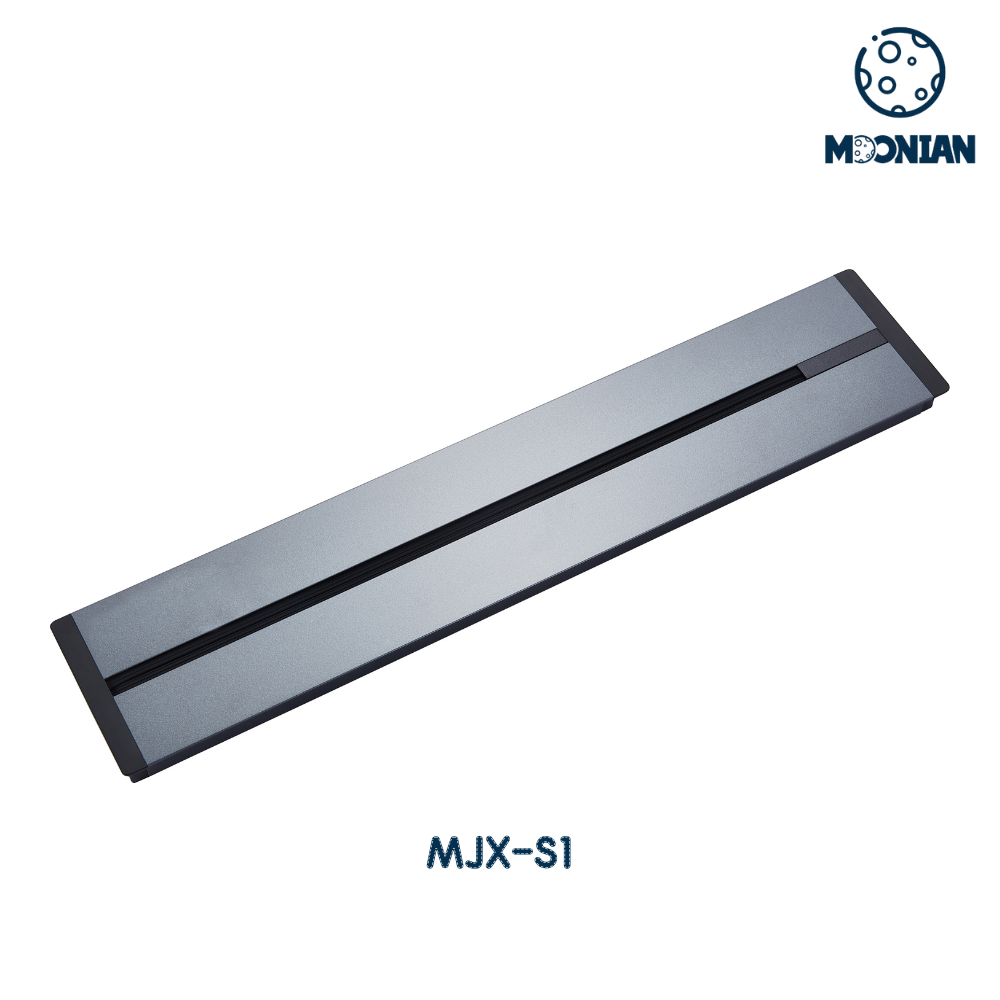
How Installation Works
S1 installation requires a routed channel in the tabletop, cut to the track’s cross-sectional dimensions. This must be done during furniture manufacturing — it cannot be retrofitted to a finished desk without significant rework.
The channel depth must accommodate the track housing plus the wiring connection below. For most tabletop thicknesses of 25mm and above, this is achievable without compromising structural integrity. For tabletops under 25mm, confirm clearances carefully before specifying S1.
The wiring entry point is typically routed through a hole at one end of the channel, connecting the track rail to the desk’s power supply. Once installed and wired, the track is fixed in position — but the adapters remain fully repositionable along the rail at any time.
Aesthetic Result
The S1 installation produces the cleanest possible desk surface. With no adapter installed, the track is essentially invisible — a narrow slot in the surface that most observers do not notice until they look for it. With adapters installed, the socket units appear to emerge directly from the desk surface with no visible housing or mounting hardware.
This is the correct specification for:
- Executive desks where surface aesthetics are paramount
- Premium hotel room and hospitality furniture
- Showroom and reception furniture where first impressions matter
- Any application where the client has specified a flush, uninterrupted desk surface
Technical Specifications
- Available lengths: 400mm, 500mm, 600mm, 800mm, 1000mm, 1200mm, 1500mm
- Finish options: White, Black, Grey
- Housing material: Aluminum alloy
- Installation method: Recessed into routed channel
- Compatible with all Moonian track adapters
- CE and RoHS certified
Limitations
- Must be specified before furniture manufacturing. Retrofitting S1 to a finished desk requires routing into the completed surface — disruptive and potentially damaging to veneer or lacquer finishes.
- Minimum tabletop thickness applies. Thin tabletops under 25mm may not have sufficient depth for the channel without structural compromise.
- No LED strip or master switch option. The S1 format does not support the motion sensor LED strip or master switch features available on S2.
S2 Surface Mounted Power Track: The Flexible, Feature-Rich Option
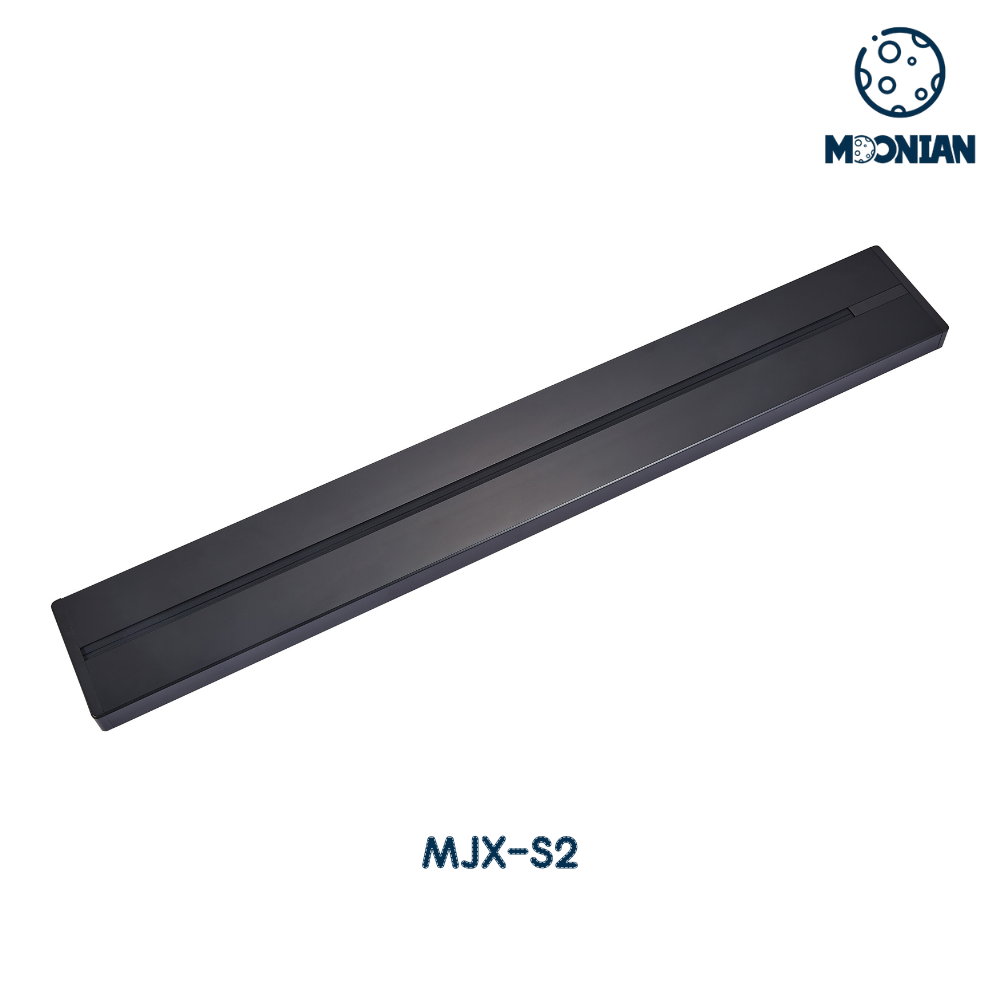
How Installation Works
S2 installation requires no routing. The track housing is mounted directly onto the desk surface or along the desk edge using the included mounting hardware. This can be done at any point — during furniture manufacturing, during fit-out, or as a retrofit to existing furniture.
The wiring connection is made through the track end cap, with the cable routed along or through the furniture structure to the power supply. Installation typically takes 15 to 30 minutes per track for an experienced installer.
Because S2 does not require structural modification to the desk, it can be specified independently of the furniture manufacturer — fit-out contractors can source and install S2 tracks on furniture that was not originally designed for power track integration.
Aesthetic Result
The S2 track sits above the desk surface, making it visible as a discrete hardware element. In matte black or grey finishes, it reads as a intentional design feature rather than an afterthought — similar to how cable management channels and monitor arms are visible hardware elements in contemporary office design.
The S2 is the correct specification for:
- Retrofit projects where furniture is already manufactured
- Fit-out projects where the furniture manufacturer and the power contractor are different companies
- Collaborative bench desks where the track is positioned along the desk edge rather than the surface
- Any project requiring the LED strip or master switch features exclusive to S2
S2-Exclusive Features
The S2 format supports two features not available on S1:
Motion Sensor LED Strip: An integrated LED strip that activates when motion is detected, providing ambient lighting along the desk edge. Available on S2 tracks from 400mm to 1000mm. This feature is particularly popular in co-working spaces and collaborative environments where under-desk lighting improves the working environment without requiring separate lighting installation.
Master Switch: A single switch that cuts power to all adapters on the track simultaneously. Available on S2 tracks from 400mm to 1500mm. This is a practical safety and energy management feature for conference rooms and meeting spaces where the track power should be isolated when the room is not in use.
Technical Specifications
- Available lengths: 400mm, 500mm, 600mm, 800mm, 1000mm, 1200mm, 1500mm
- Finish options: White, Black, Grey
- Housing material: Aluminum alloy
- Installation method: Surface mounted, no routing required
- LED strip option: Available 400mm–1000mm (S2 only)
- Master switch option: Available 400mm–1500mm (S2 only)
- Compatible with all Moonian track adapters
- CE and RoHS certified
Limitations
- Visible above surface. The track profile sits above the desk surface, which is less appropriate for applications where a completely flush surface is required.
- Edge positioning required for some applications. For bench desks and collaborative tables, S2 is typically positioned along the desk edge rather than the surface center — which suits most collaborative applications but limits center-of-table positioning.
Side-by-Side Comparison
| Dimension | S1 Recessed | S2 Surface Mounted |
|---|---|---|
| Installation stage | During manufacturing only | Any stage, including retrofit |
| Routing required | Yes — channel in tabletop | No |
| Surface appearance | Flush, near-invisible | Visible track profile above surface |
| Minimum tabletop thickness | ~25mm recommended | No minimum |
| LED strip option | Not available | Available (400–1000mm) |
| Master switch option | Not available | Available (400–1500mm) |
| Retrofit capability | Not practical | Yes — full retrofit |
| Best aesthetic | Premium flush integration | Contemporary hardware feature |
| Installation time | Longer (routing required) | Shorter (surface mount) |
| Available lengths | 400mm–1500mm | 400mm–1500mm |
| Finish options | White / Black / Grey | White / Black / Grey |
| Compatible adapters | All Moonian adapters | All Moonian adapters |
| CE / RoHS certified | Yes | Yes |
Choosing the Right Track for Each Application
Choose S1 when:
- The furniture is being manufactured to order and power integration can be planned from the design stage
- The client has specified a flush, uninterrupted desk surface
- The application is executive, hospitality, or premium residential where aesthetics are the primary driver
- The tabletop is 25mm or thicker
Choose S2 when:
- The furniture is already manufactured and retrofit installation is required
- The fit-out contractor is sourcing power independently of the furniture manufacturer
- The project requires the LED strip or master switch features
- The application is a collaborative bench desk where edge-mounting is the natural position
- The project timeline does not allow for manufacturing-stage integration
Use both on the same project when:
- A fit-out includes both executive private offices (S1) and open-plan collaborative areas (S2)
- The client wants flush integration on feature furniture and practical surface mounting on utility workstations
The Adapter Range: Consistent Across Both Track Types
Both S1 and S2 use the same adapter range, which means your adapter specification is independent of your track choice. All three Moonian adapter families are compatible with both installation types:
Blue-Dot Minimalist Adapter (φ65mm) — the compact, clean option for applications where minimal visual footprint is important. Available in EU, UK, universal socket, USB-A/A (10W), and USB A+C fast charge (18W).
Halo-LED Power Track Adapter (φ70mm) — with LED ring indicator for easy identification in low-light environments. Available in EU, UK, US, universal socket, USB-A/A (10W), and USB A+C fast charge (18W).
Premium Aluminum Industrial Adapter (φ70mm) — premium aluminum outer ring matching the track housing finish. Available in EU, UK, US standard sockets, USB-A/A (10W), and USB A+C fast charge (18W). The correct choice for premium applications where adapter and track finish consistency matters.
For a full overview of how power track systems compare to fixed pop-up sockets across different project types, see our power track vs pop-up socket guide.
A Note on Pricing
Both S1 and S2 tracks are priced identically for the same length and configuration — the installation method does not affect the unit price. The S2 LED strip and master switch options carry a modest price premium over the base S2 configuration.
The total project cost difference between S1 and S2 comes from installation labour, not component pricing. S1 requires routing work during manufacturing — if this is built into the production process, the marginal cost is low. If S1 is being retrofitted, the routing labour can be significant. S2 surface mounting adds minimal labour cost in all scenarios.
For pricing details and volume quotations, see our power track product page or contact our team directly.
Conclusion
S1 and S2 are not competing products — they are complementary solutions for different project constraints. S1 delivers the premium flush integration that high-end furniture demands, but only when specified at the manufacturing stage. S2 delivers flexibility, retrofit capability, and exclusive features that S1 cannot offer, at the cost of a visible track profile above the surface.
The right specification matches the installation method to the project reality: construction stage, tabletop construction, client aesthetic requirements, and feature needs. In many fit-outs, both tracks have a role — S1 for prestige furniture, S2 for collaborative and retrofit applications.
💡 Pro Tip: Not sure which track suits your specific tabletop construction? Send us your desk dimensions and we’ll confirm compatibility and send the relevant CAD drawings within 24 hours. Get in touch →
Ready to specify the right power track for your project? → View MJX-S1 Recessed Power Track → View MJX-S2 Surface Mounted Power Track → Browse all track adapters → Read our power track vs pop-up socket guide → Request samples and CE documentation